
Separate your subject from the background and download a transparent PNG. A dedicated segmentation model handles the cutout without generating a new person.
or drop it here, or paste it from your clipboard
JPG, PNG or WebP up to 20 MB. Photos stay private.No photo to hand? Try a sample.
Actual results, free to view
Explore looks
A cleaner background. The same subject.
- Upload a JPG, PNG or WebP photo with a clearly visible subject.
- Background removal uses 1 credit per successful photo.
- Download PNG to keep transparency. JPG exports use a white background.
- Background removal is automatic. Written instructions do not affect the cutout.
A note on the result
Fine hair, transparent objects and foreground/background colors that blend together may need closer inspection. Check the edges before placing the cutout in a design.
Your photos are private. Guest files expire after 24 hours; signed-in photos and results after 30 days. You can remove this application’s copies sooner.
Get the most from this task
Choose a useful starting photo
Choose an image with a clear subject and visible edges. Hair, glass and translucent fabric can be difficult to separate when they blend into the background.
Apply, compare, download
Choose Cutout and apply the edit. This task is automatic segmentation: written instructions do not affect the result. It uses one credit for a successful photo.
Inspect the outline against both light and dark surfaces. Download PNG or WebP for transparency. A JPG cannot contain transparency and receives a white background.
An actual result, with context
This pair uses an AI-generated portrait. The checked background is a display aid for transparency, not part of the exported PNG. Inspect fine hair and small gaps before using a cutout in a design.
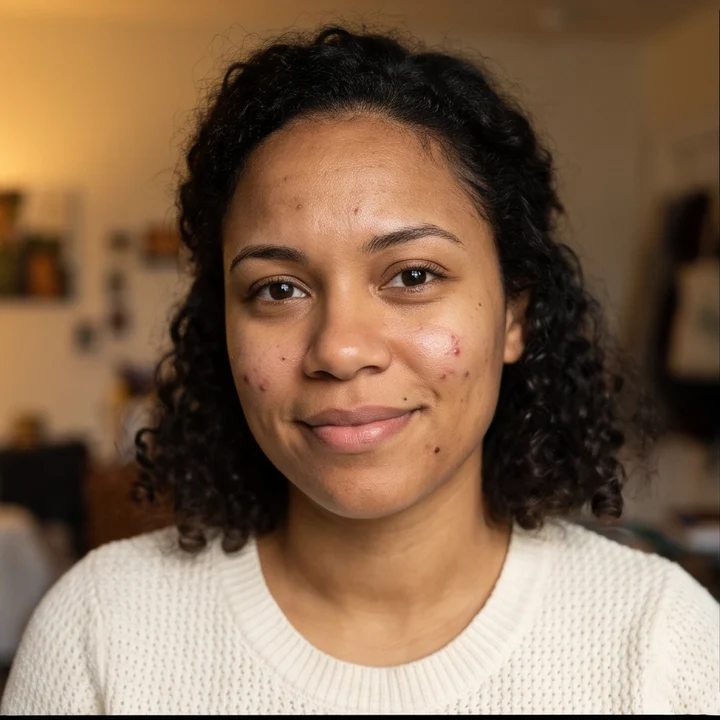
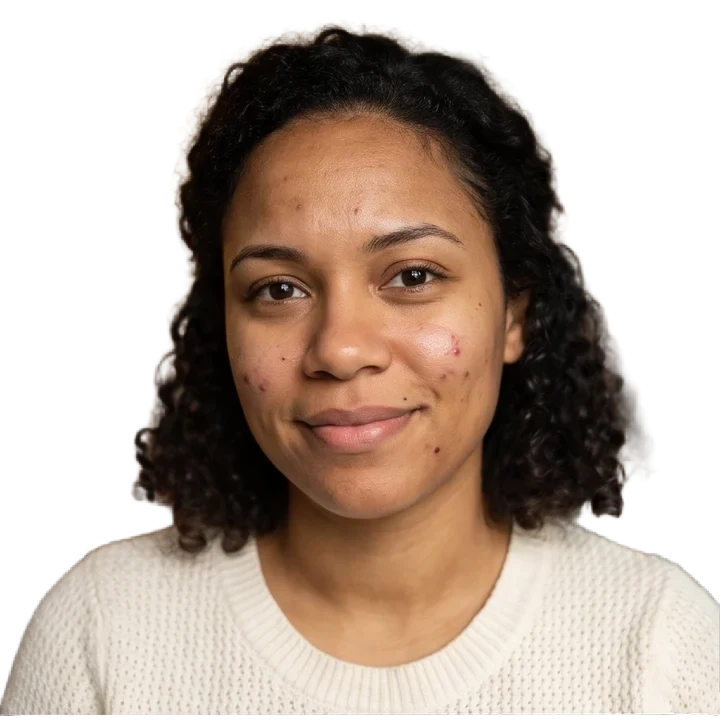
Settings: Automatic background removal; no written instruction.
About AIPhotoRetouch
A clear process. Results you can inspect.
AIPhotoRetouch is an independent photo editing service operated by Marwan Akhandaf. For product support, contact info@aipgen.com; AIPGEN is the domain used for our support email.
How the examples are made
The before-and-after pairs on our tool pages use our own AI-generated sample images and actual app outputs. Captions identify the task and settings. Community look cards are credited inspiration, not evidence of an AIPhotoRetouch result.
What an example can tell you
A demonstration shows one input and one set of settings. It is not a promise that every photo will behave the same way. Compare every result with the original, especially faces, fine edges, text and reconstructed details.
Your choice, without model settings
Choose a task or a look and review its credit cost. The app selects the image model and can try its fallback provider after a supported failure. You do not need to choose a model or manage provider accounts.